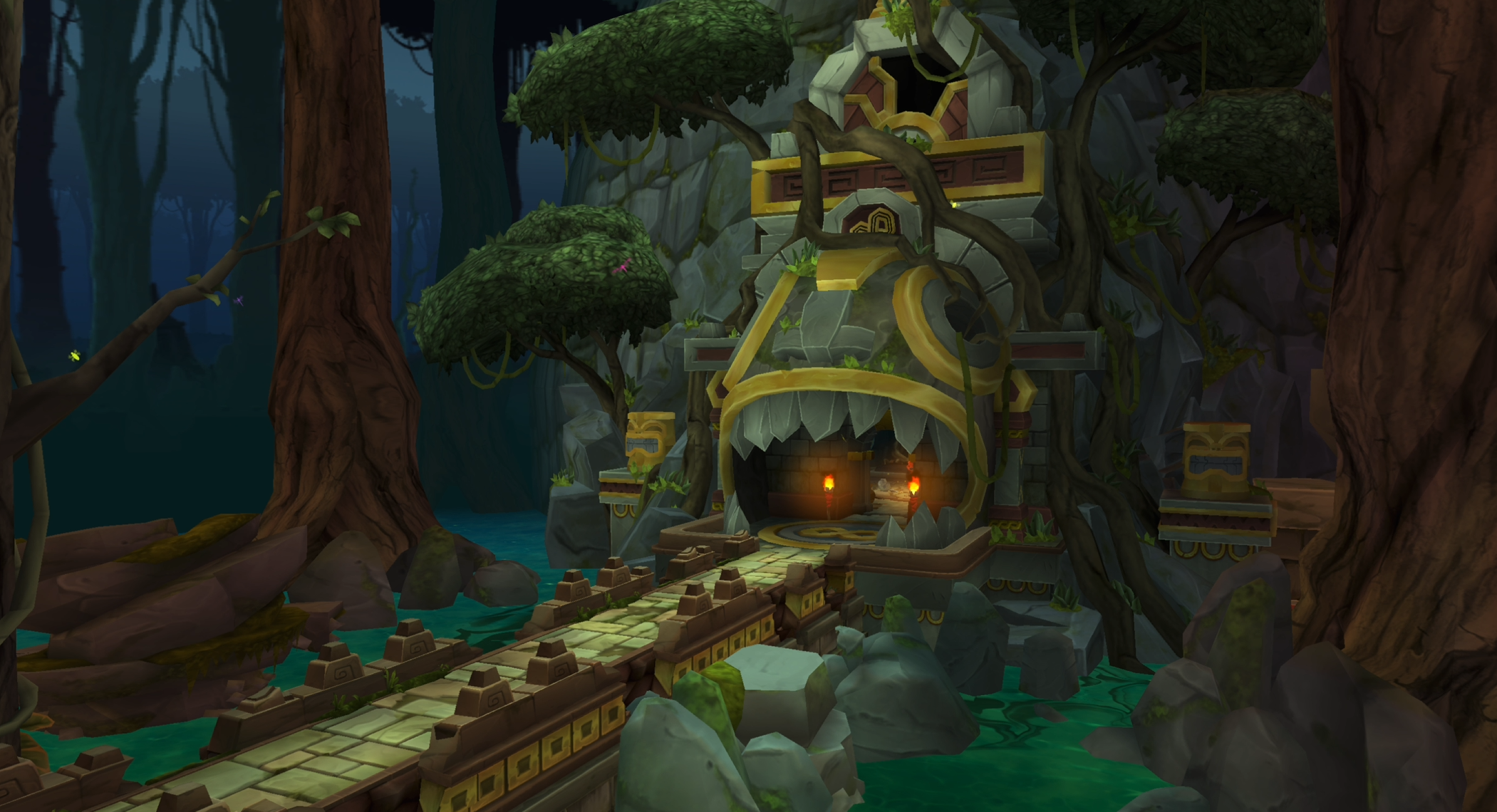
For Temple Run 3 and Temple Run: Legends, I designed a modular skybox system that supported real‑time lighting shifts and dynamic background transitions. The final implementation blended three layered textures to create a parallax effect that followed the game’s curved world geometry, and used animation curves paired with gradient‑driven color data to control time‑of‑day lighting, atmospheric depth, and environmental mood.
What Did I Do: Skybox Shader, Tooling for Lighting Properties
What I Didn’t Do: Skybox Textures
Day/Night Cycle & Skybox Shader
Temple Run’s environments shift rapidly between biomes, camera speeds, and lighting conditions, which meant the skybox couldn’t be a static backdrop. It needed to follow the game’s curved world geometry, support seamless biome‑to‑biome texture transitions, and maintain visual clarity at high speeds — all while staying within strict mobile performance and memory budgets. The system also had to expose intuitive controls for artists, avoid gradient banding on compressed textures, and keep lighting behavior consistent across a wide range of Apple and Android devices.
Skybox Shader Breakdown
The shader layers a foreground, middleground, and background texture to create the parallax effect. Each one of these layers moves at a slightly different rate, but are driven by the same values as the World Curve. The shader also includes vertical parallax, which move the textures up or down based on their vertical movement.
The skybox begins with a custom spherical UV projection that ensures the texture wraps cleanly around the dome and stays visually stable as the player moves through the curved world. Instead of relying on the mesh’s default UVs, the shader reconstructs longitude and latitude directly from the UV input: the X and Y components are normalized, split, and passed through trigonometric functions (Arctangent2 for horizontal rotation and Arcsine for vertical elevation). These values are then divided by TAU and PI to remap them into a 0–1 range, producing a consistent spherical coordinate system. The result is a pair of UVs that behave like true longitude/latitude coordinates, giving the skybox a smooth, continuous wrap with no visible seams or stretching — a critical foundation for the parallax layers and biome transitions that come later.
The first visual layer of the skybox blends a height‑based color gradient with two background textures to create the foundation of the sky’s atmosphere. The shader remaps the vertical UV to generate a smooth sky‑height ramp, then applies falloff and Power* functions to control how quickly the color transitions from horizon to zenith. This produces a stable, band‑free gradient that responds cleanly to world height and lighting changes.
On top of this gradient, the shader blends between two background textures using a transition parameter driven by the lighting system. Each texture is sampled with its own tiling, offset, and parallax controls, allowing the sky to shift subtly as the player moves through curved environments. Cloud opacity, vertical parallax, and camera‑relative offsets are layered in to give the background a sense of depth and motion without adding extra geometry. The result is a flexible atmospheric base that can shift between biomes, lighting presets, and time‑of‑day states while remaining performant on mobile hardware
Note*: Where possible, I use a Power node instead of Unity’s built‑in Smoothstep. The Smoothstep node expands into multiple operations on mobile GPUs, including additional clamps and multiplies, which makes it noticeably more expensive in fragment‑heavy shaders. By using a Power function paired with manual clamping, I get the same artistic control over gradient softness while keeping the instruction count lower and more predictable across vastly different GPUs.
The horizon and foreground layers build on the same UV and height‑based foundation as the background, but each layer applies additional shaping to control where it contributes and how it moves. The horizon section remaps the vertical UV through a falloff function, clamps it to prevent overshoot, and uses that value as a mask to determine how strongly the horizon texture appears near the world curve. This keeps the horizon visually stable and prevents stretching during fast camera movement.
The foreground layer introduces stronger parallax and camera‑relative offsets. It generates a height mask using Multiply, One‑Minus, and Clamp operations to control where the foreground texture fades in and out, ensuring it doesn’t interfere with the upper sky. Because this layer sits closest to the camera, its parallax multipliers are more aggressive, giving the skybox a near‑field depth cue without additional geometry.
Both layers use the same transition parameter as the background to blend between their A/B texture sets used when transitioning between different zones.
The final section computes a world‑space height value and uses it to drive a lightweight fog function that stays consistent across biomes and camera movement. The world‑height block normalizes the object’s world‑space position, isolates the Y component, and remaps it into a 0–1 range using a configurable height window. This produces a stable height mask that the rest of the shader can use for atmospheric effects.
The fog block applies an exponential falloff to this height mask using Multiply, Add, and One‑Minus operations, then clamps the result to avoid overshoot on mobile hardware. This creates a fog intensity value that increases as the camera moves closer to the ground or into denser atmospheric regions. A final Lerp blends this fog value with the sky color using the same transition parameter shared across the background, horizon, and foreground layers, ensuring fog color and density remain synchronized with lighting presets and biome transitions.
By computing height and fog once and reusing those values across the shader, the system avoids redundant calculations and keeps the fragment cost predictable on mobile GPUs.
Tooling
Lighting Properties Table
Each lighting preset is defined in a Lighting Properties Table, which exposes all sky, fog, and layer‑specific parameters in the Unity inspector. This includes:
Background, horizon, and foreground texture settings
Opacity, blend factors, offsets, and parallax multipliers
Sky height, falloff, fog height, and fog falloff
Directional light color, ambient color, dust color
Skybox texture slots
These presets act as the source of truth for the shader’s global parameters.
Gradient‑Driven Color & Fog Curves
Color transitions (sky top/mid/bottom, fog color, directional light color) are authored using Unity’sgradient editor. Each gradient is evaluated over a normalized 0–1 time‑of‑day value, allowing the system to produce smooth lighting changes without branching logic in the shader.
Fog start/end distances and other time‑varying values use animation curves authored the same way.
Lighting Properties Manager
The Lighting Properties Manager is responsible for evaluating gradients, caching values, and updating shader globals. It performs several key tasks:
Evaluates gradients and curves at the current time of day
Caches values in a snapshot to avoid redundant evaluations
Pushes all lighting, fog, and texture parameters into shader global variables
Manages A/B texture transitions using a global _TextureTransition parameter
Supports both automatic day/night cycling and manual time overrides, and saves the time value for persistent lighting between app launches
Throttles updates for mobile performance
-
To avoid redundant gradient evaluations on mobile hardware, the manager caches the current lighting state in a snapshot object. During transitions, it interpolates from the cached snapshot to the target preset:
Shader.SetGlobalVector(_TopColorID,
Color.Lerp(start.skyTopColor, targetTop, t));
-
When entering a new biome, the system swaps the active texture set and blends between them using a global transition parameter. The manager determines which texture slot is currently visible and assigns the new textures to the opposite slot:
Shader.SetGlobalTexture(_BackgroundTextureBID, target.BackgroundTexture);
Shader.SetGlobalFloat(_TextureTransitionID, 0f);
The shader then performs the actual blend using the shared transition value, keeping all sky layers synchronized.
-
The manager supports both automatic day/night cycling and manual time overrides. To keep performance predictable on mobile, lighting updates are throttled based on perceptual deltas:
if (Mathf.Abs(timeNormalized - _lastTime) > 0.001f) UpdateLightingForTime(timeNormalized);
This ensures lighting only updates when the visual change is meaningful. These controls were also configurable based on device performance rating, further reducing the load on low-end devices.
Segment Theme Integration
Each biome or zone in the game can define its own lighting preset through a SegmentThemeLightingExtension. When the player enters a new theme:
The extension provides the lighting preset for that biome
The Lighting Properties Manager begins a timed transition
A/B texture slots are swapped and blended
All color, fog, and parallax values interpolate from the previous preset to the new one
This allows the skybox to shift seamlessly between environments without popping, hitching, or skipping.
Results
The videos below show the final result, with the time cycle value greatly exaggerated to show the color transitions over time. When the player reaches a segment transition, the Lighting Properties Manager hooks into other gameplay events to transition between the current lighting theme and the next lighting them. Because each zone can have its own preset, they are able to have their own unique textures and color palettes. Meanwhile, the skybox continues to follow the world curve values and the player height to provide its parallax effect.
Additional Credits:
Ravegan - Skybox textures and additional shader work